.png)
.png)
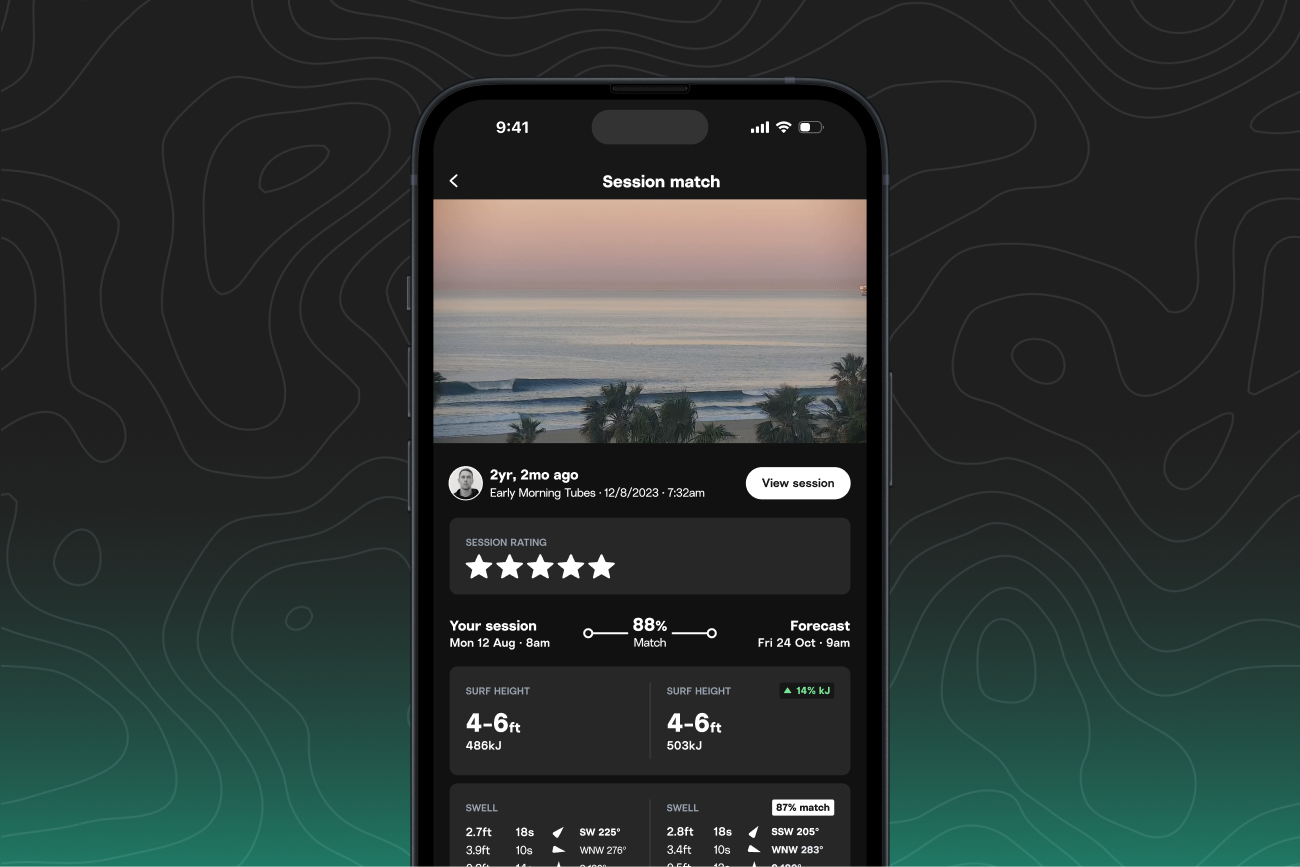
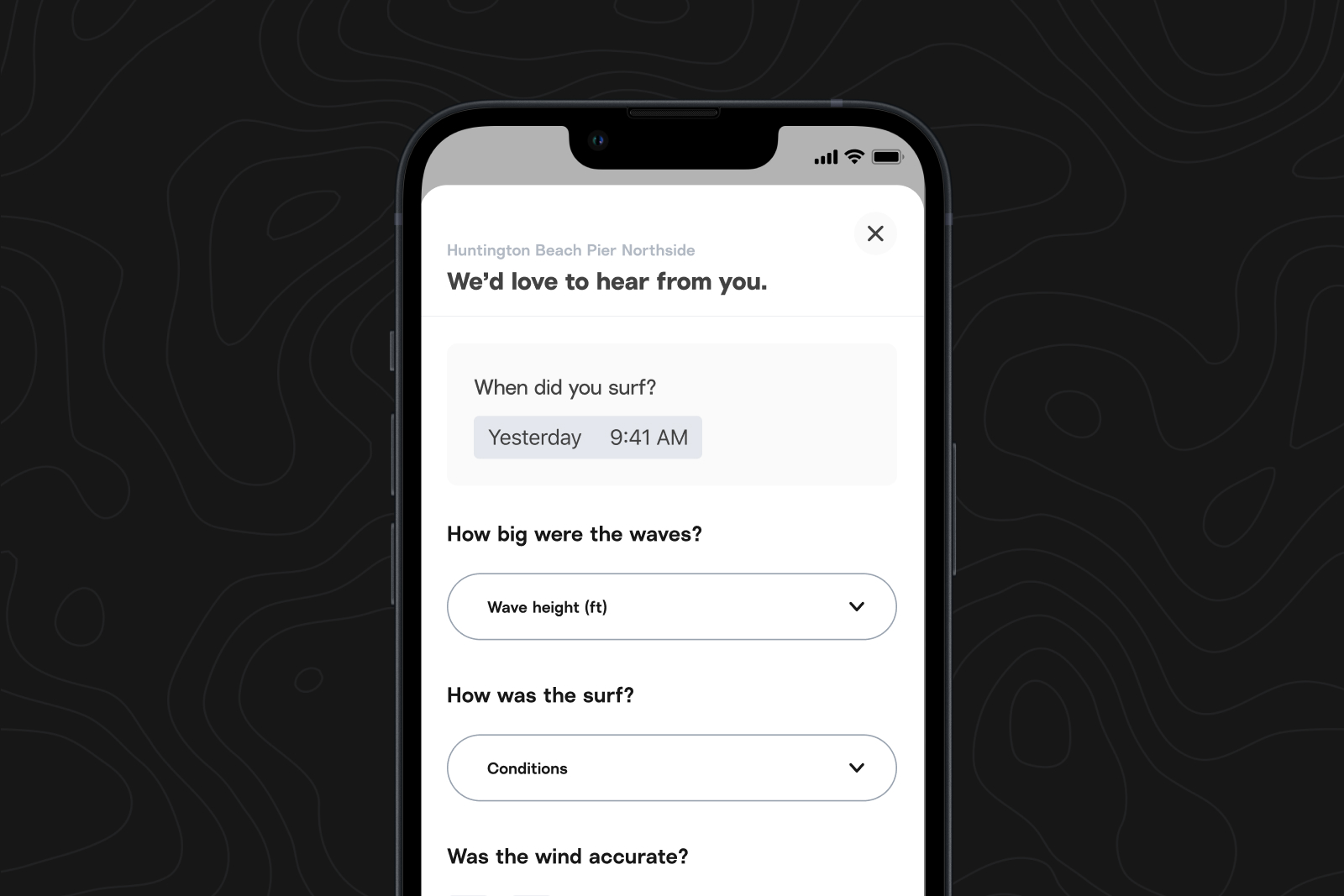
This new feature maps the swell energy "fingerprint” of your logged sessions to future conditions, going beyond matching similar size and direction.
This mapping allows us to identify upcoming windows that match conditions you've surfed in the past, making it even easier to find forecast windows that will feel like your past sessions.
Pro tip: The more sessions you record (whether manually or using a watch), the more robust your surf memory bank becomes—leading to a greater chance of getting matched forecasts.
Forecast matches are currently available on iOS, and Sessions is now available for both free and Premium members on all smartphones.
Where to find forecast matching:
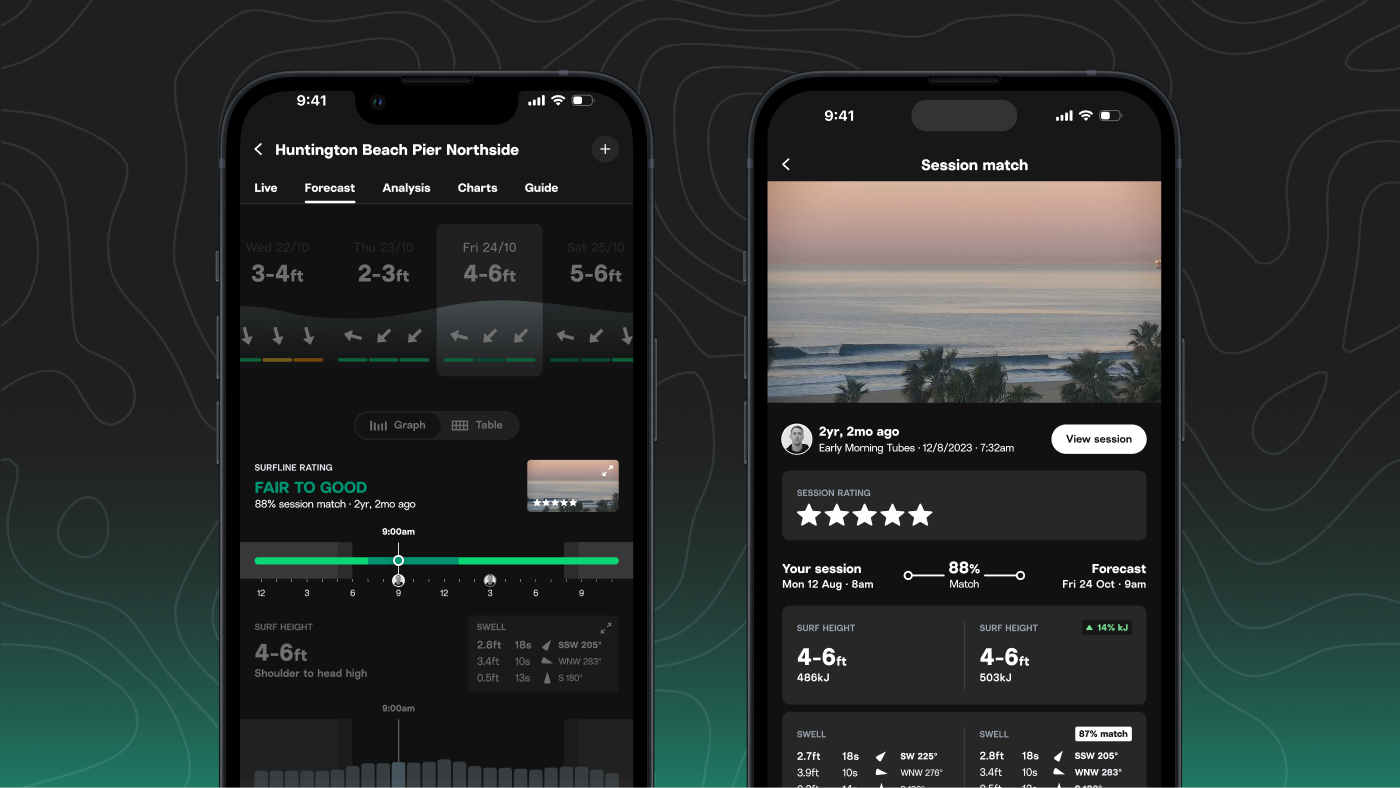
- On iOS, navigate to a spot forecast where you’ve logged sessions, and make sure you’re in graph view.
- If a time and day in the forecast has a match with one of your sessions, it will show up as a small avatar icon (your profile avatar) on the surf rating bar.
How to use it:
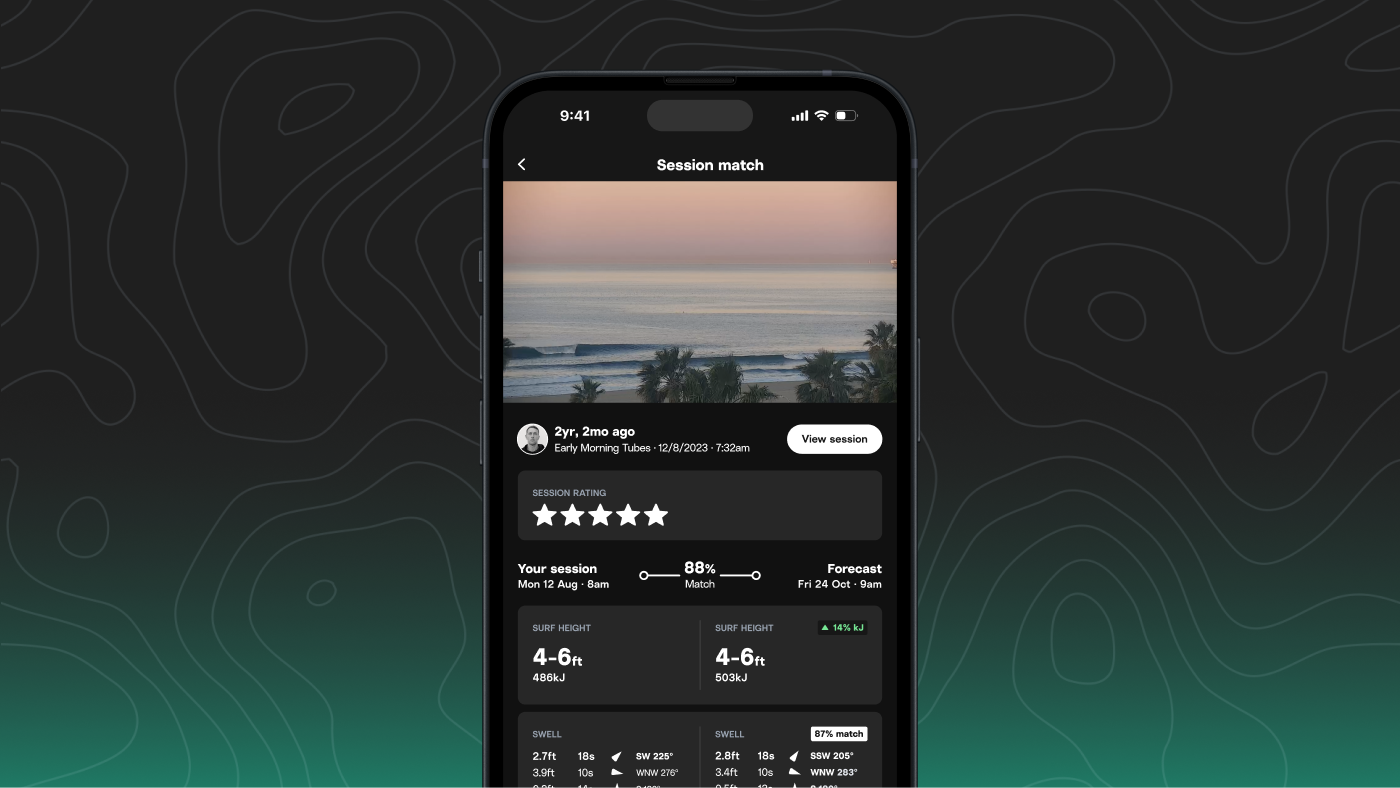
- When you see the avatar icon, expand it to open the match view.
- You’ll see a detailed comparison of the forecast vs. your logged session: surf height, swell, wind, tide, and a percentage signifying the closeness of the match.
- Tap the session card to revisit your log—including any notes, clips, or ratings—for extra context.
What's next
We’re working on ways to expand matching, including richer visual comparisons, deeper personalization, and easier ways to find matches.
Have thoughts or feedback? We’d love to hear from you. Email us at [email protected].
Never used Sessions? Now’s a great time to try it out. Head to the Sessions tab in the iOS or Android app to get started. Already a Sessions user? Send us your feedback and ideas of what you’d like out of it as we refine our plans, at [email protected].
More accurate water temps at your spots
We’ve improved how we update water temperature data at many of our spots in the US—especially where temps fluctuate quickly and satellite data alone doesn’t cut it.
About this update:
In spots with coastal upwelling or strong current activity, water temps can change quickly. Satellite data often lags or misses these swings entirely, which means you might see readings that don’t match what you’re feeling in the water.
We’ve adjusted how and when we update the water temperature reading to make it more accurate during these fluctuation windows.
We’re tapping into more frequent, local observations like lifeguard towers, Coast Guard reports, buoy sensors, and regional monitoring stations.
Where this is live:
These improvements are now active across much of the East and West Coast of the U.S., where upwelling and currents most often skew temps.
You’ll see more regularly updated water temperature directly on spot pages, just below surf height and wind data.