.png)
.png)
.jpg)
It’s now easier to access, navigate, and find waves than ever before. Cam Rewind, one of our all-time favorite features for assessing recent conditions and reviewing surfing, has gotten some significant upgrades this month to make your surf check more seamless.
New location, major upgrades
Previously, when viewing a cam, you had to click into a separate page to access Cam Rewind.
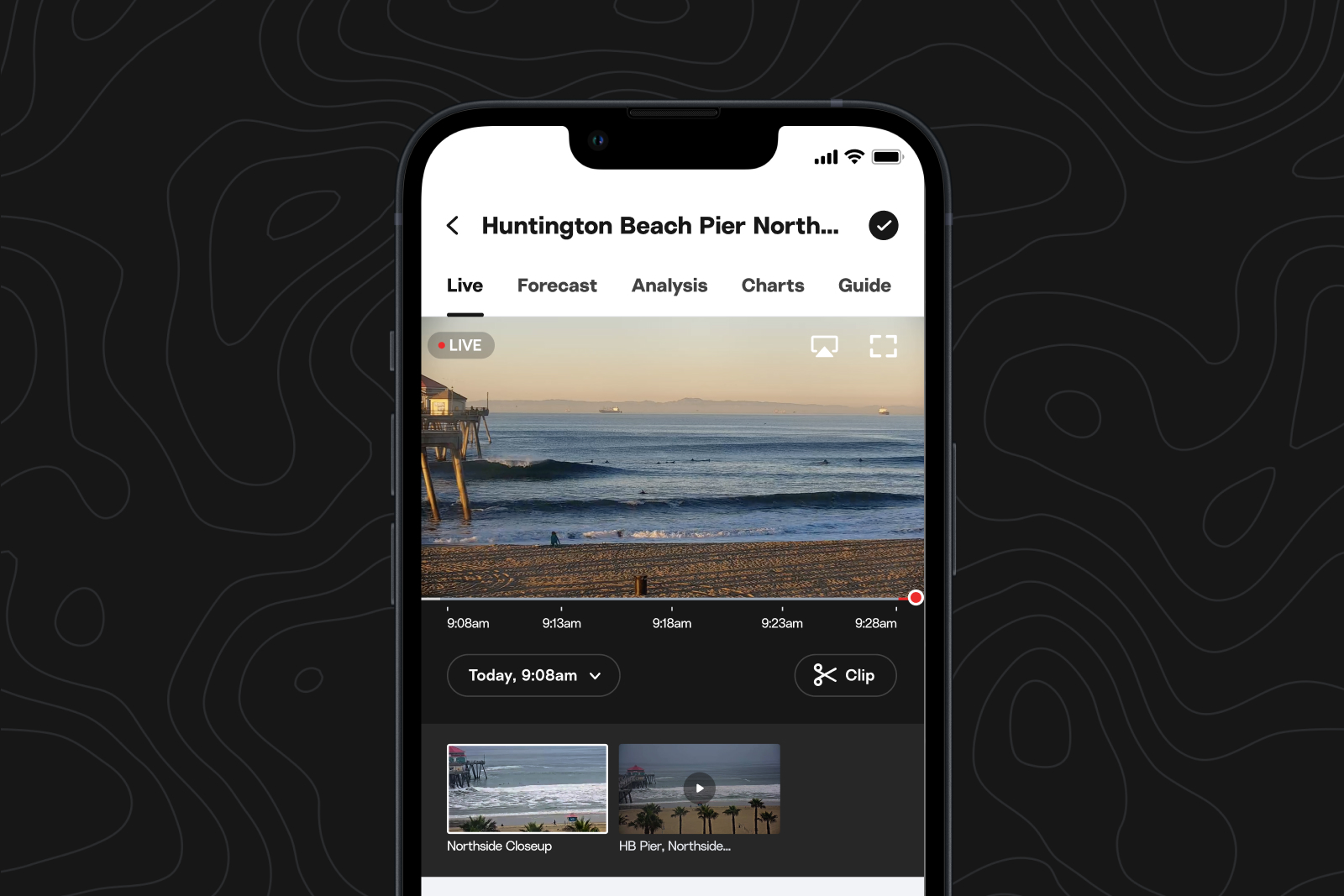
We’ve now embedded the Rewind function into the cam player, so you can scrub through recent conditions and play video back at up to 8x speed to scan through lulls and sets.
Rewind through history
You can also scrub through previous days’ Cam Rewind footage in the new layout.
Look for the time stamp in the bottom left corner of the cam player, and quickly jump to any point within the last five days.

Find your clips
Note: Currently available on iOS and web, coming to Android soon.
To find and save your waves, select “Clip” in the bottom right of the cam player.
You’ll be able to pinpoint where you want your clip to begin, then trim it down to whatever length you’d like, and download to your computer or phone.