What's New

customize forecast

Check the forecast your way

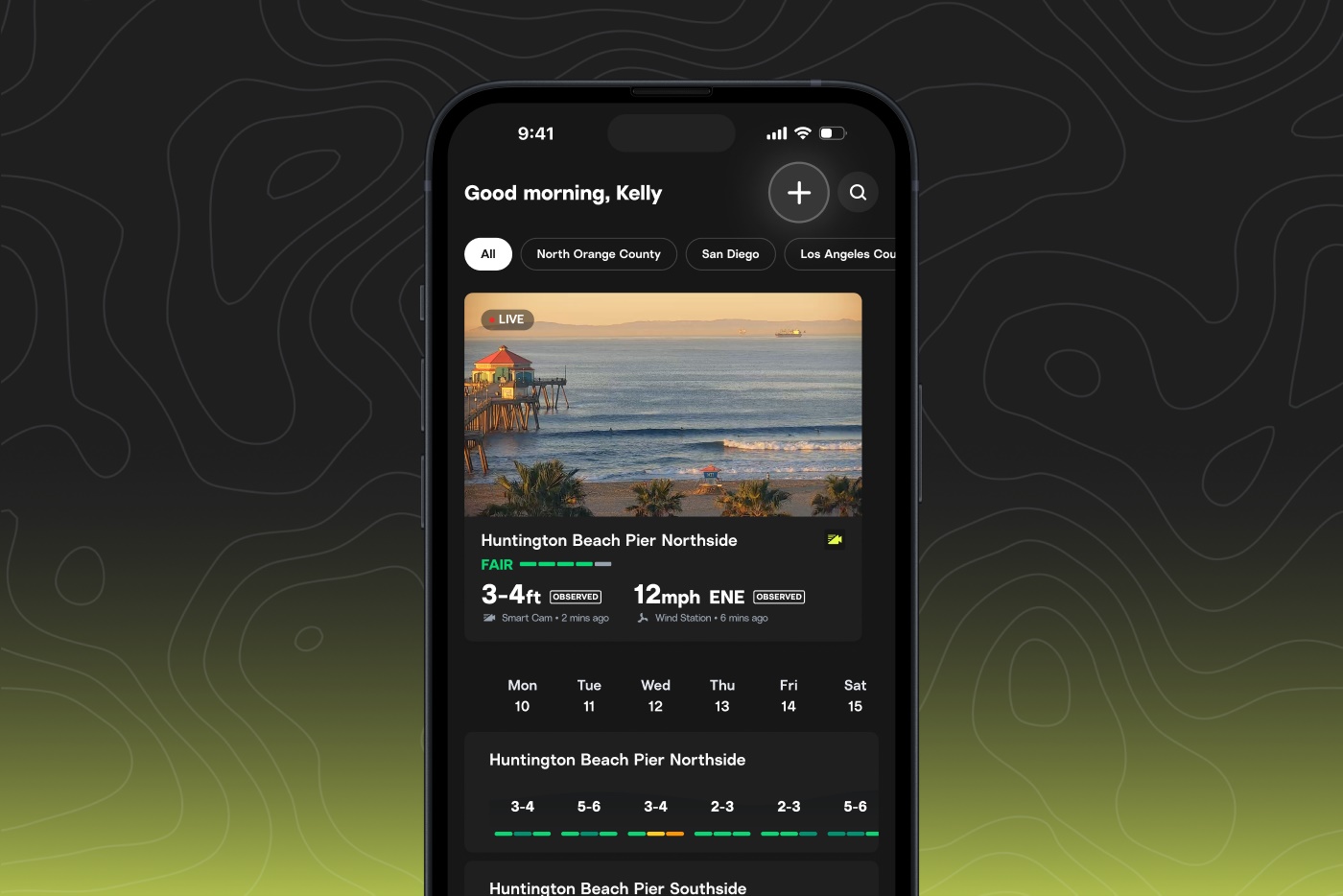
Some surfers start their surf check with the rating. Others go straight to swell energy, tide, or wind. It often depends on where you surf, the conditions you’re chasing, and the signals you trust most.
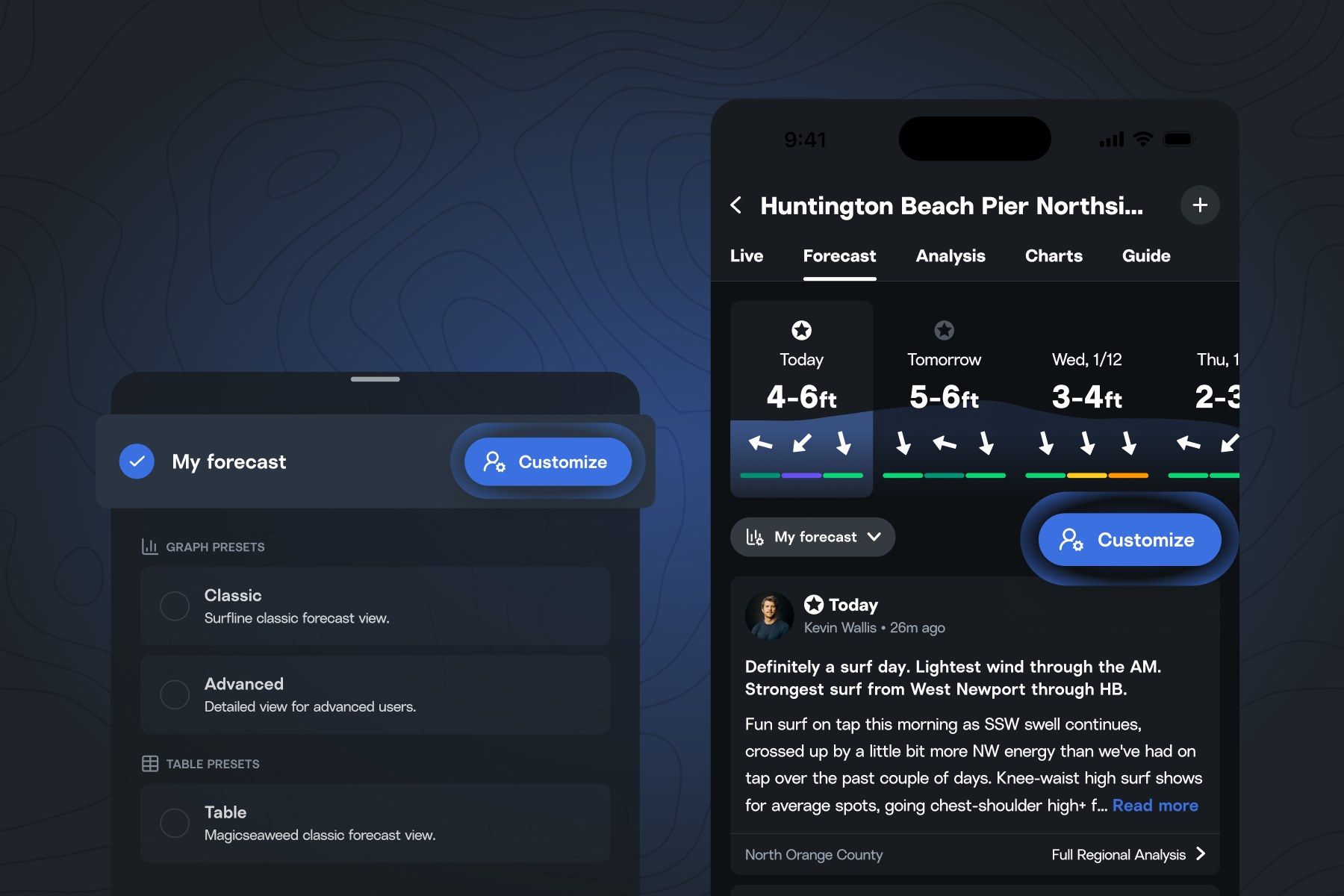
Add new forecast views, remove ones you don’t use, and organize your surf check around the signals that matter most to you.
To customize your setup, open the forecast and tap the presets dropdown below the forecast summary. Choose between Classic, Advanced and Table presets, or select “My forecast” to add, remove and rearrange data views.
Our team is currently building more views and ways to customize them. What’s your preferred setup? What can we add to make customizing your forecast better? Let us know at [email protected].
cam matches

Preview tomorrow's surf

“I’ve checked the forecast…but what’s the surf actually going to look like?”
See the future, and remove the guesswork by watching cam footage from similar days.
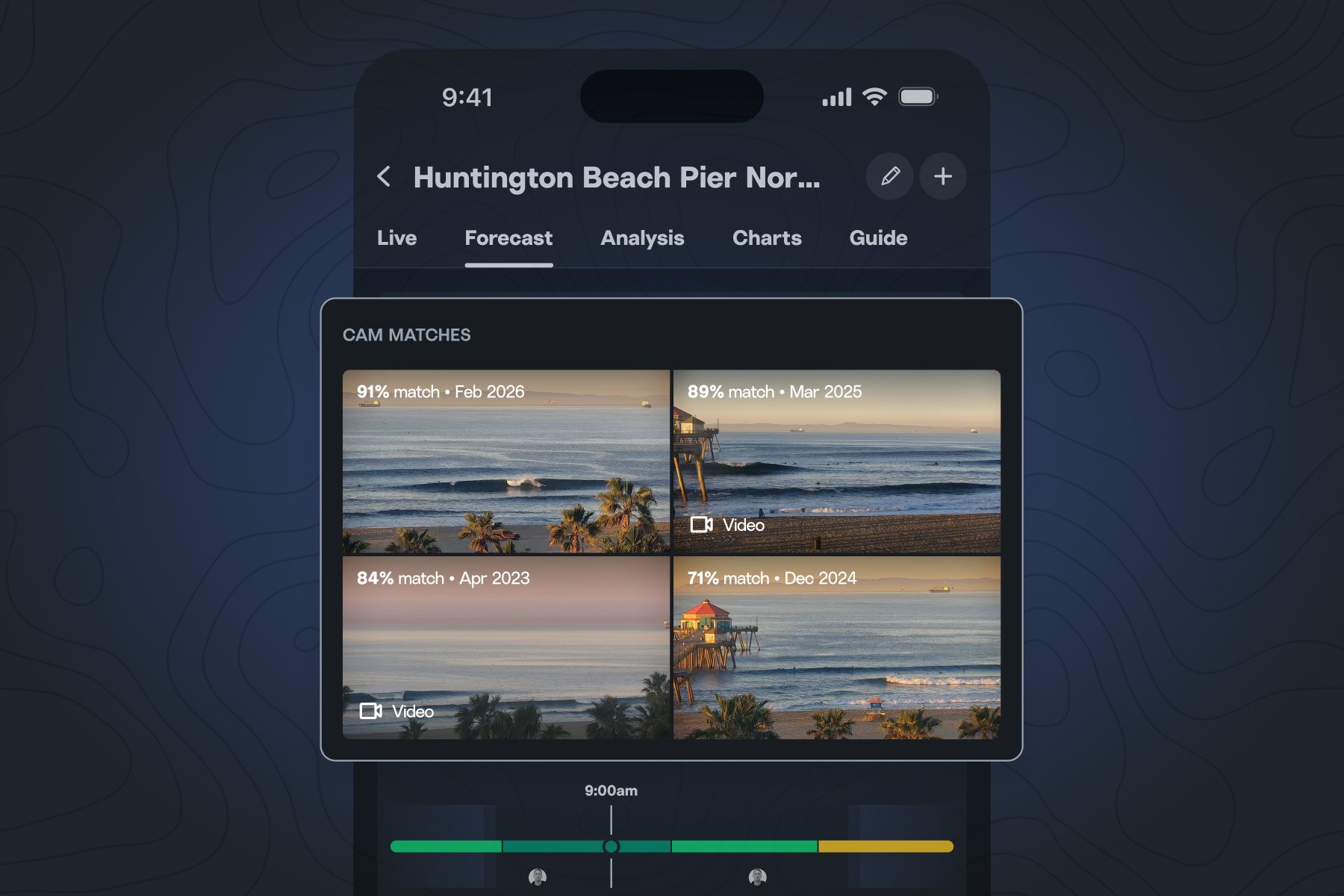
We compare forecast conditions to past days with similar surf and surface cam footage of the closest matches so you can see for yourself what’s coming.

Where to find cam matches

Go to the forecast of a spot with a cam to compare up to 4 cam matches. Tap a match to get a larger view of the surf and condition details.
Currently available to all users on iOS and Android.
forecast matches

Find times that feel like your best sessions

Want to know when the surf is going to feel like that last session? Now you can.
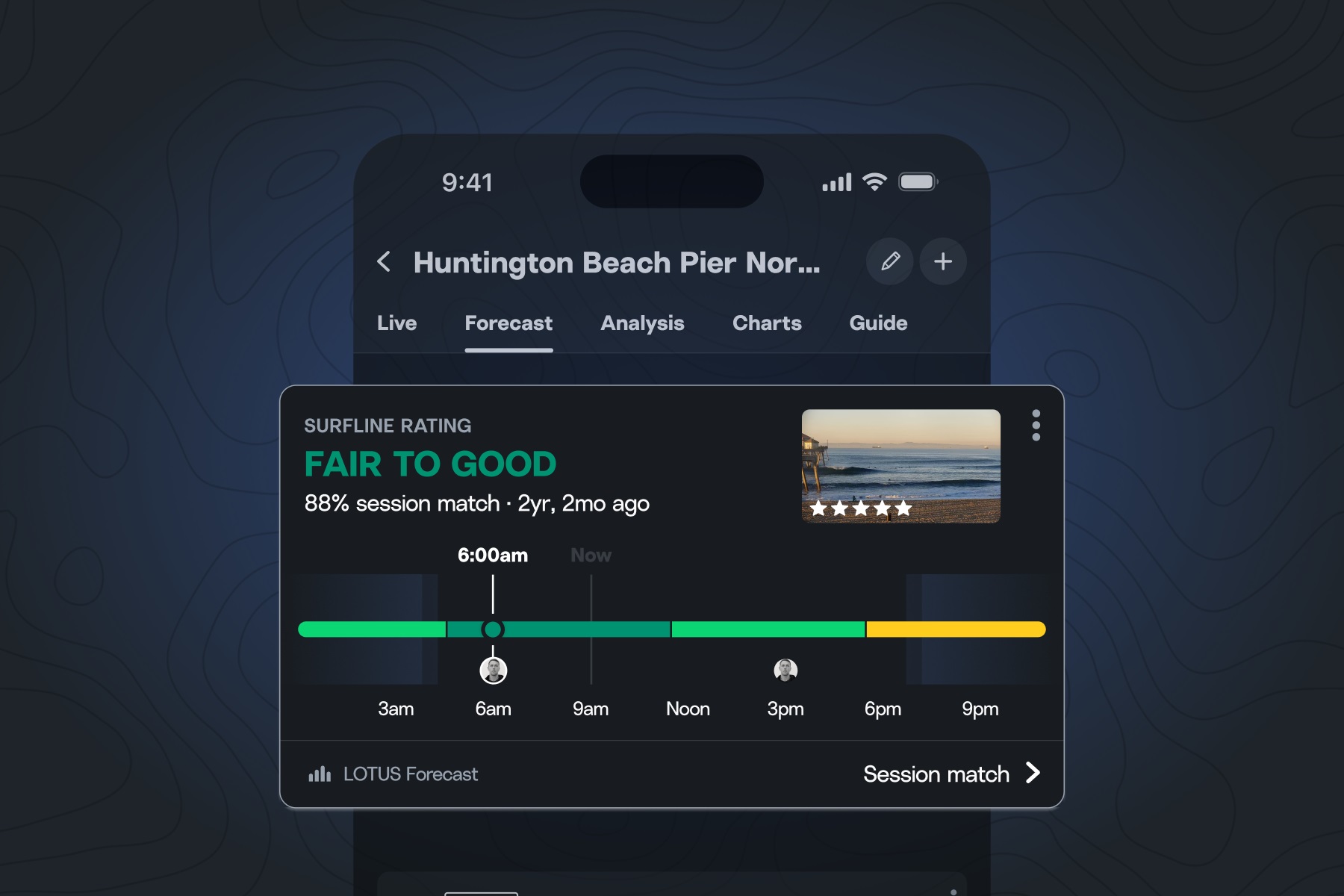
When you log a session, we capture its unique swell energy “fingerprint” and map it to future conditions at that spot.
When a window in the forecast matches that fingerprint, it is marked on the forecast with your profile avatar.
Now when you add a session, you get:
The more sessions you record, the more robust your surf memory bank becomes, leading to more matches in your forecast.
Currently available on iOS, and you can now log sessions as a free or Premium member on any smartphones.

Track your sessions and progress

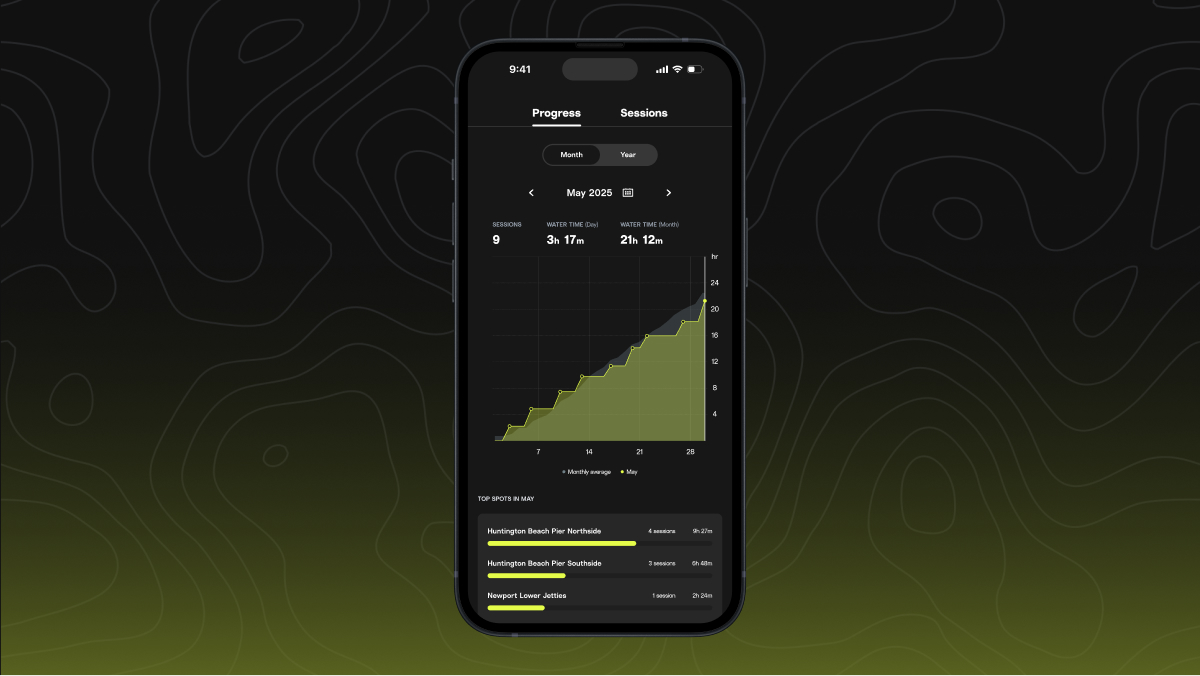
Sessions is now available on Android and iOS, for both free and Premium members.
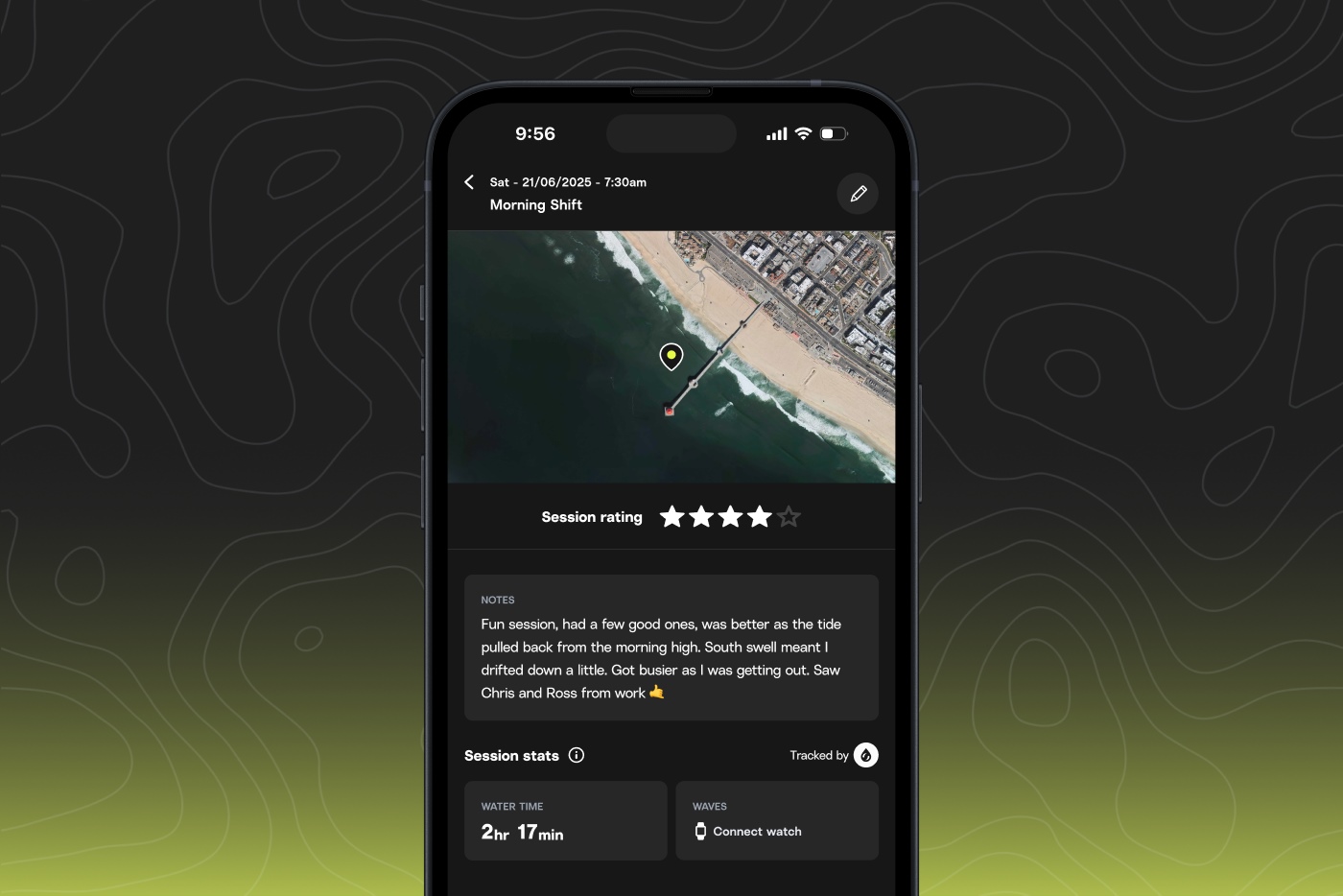
Log and track your surfs, relive past sessions, and get clips of all your waves when you surf in front of a cam.
Here's what you get when you log or import a session:
With more than 1,000 sessions logged, Grant Washburn credits his meticulous surf documentation for roughly half the waves he’s caught at Maverick’s. Journals work. So do calendars. But now you can use Sessions (with or without a smartwatch) to track your progress, remember standout waves, and monitor how different swells affect your local break.

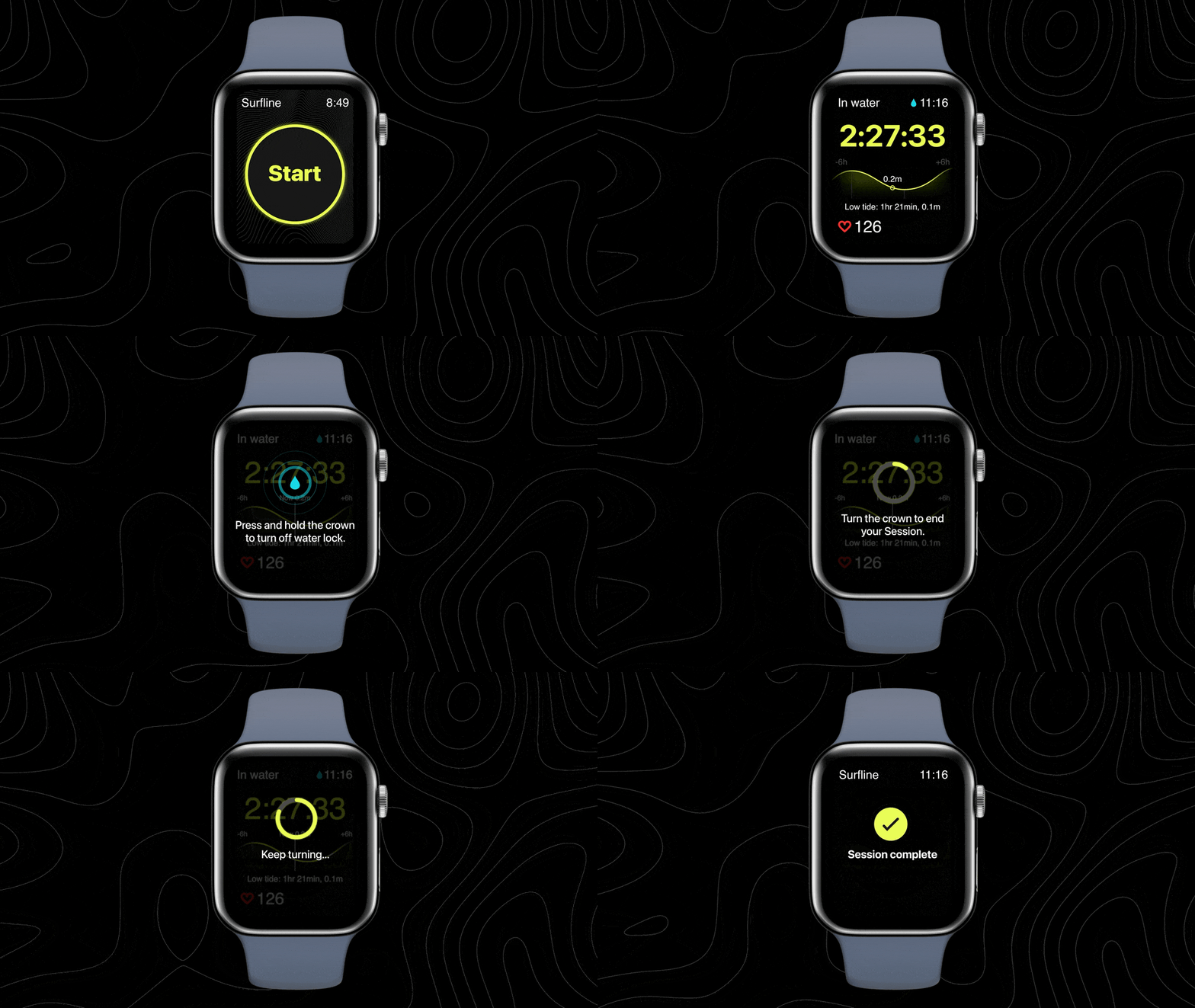
Start your session with one tap.

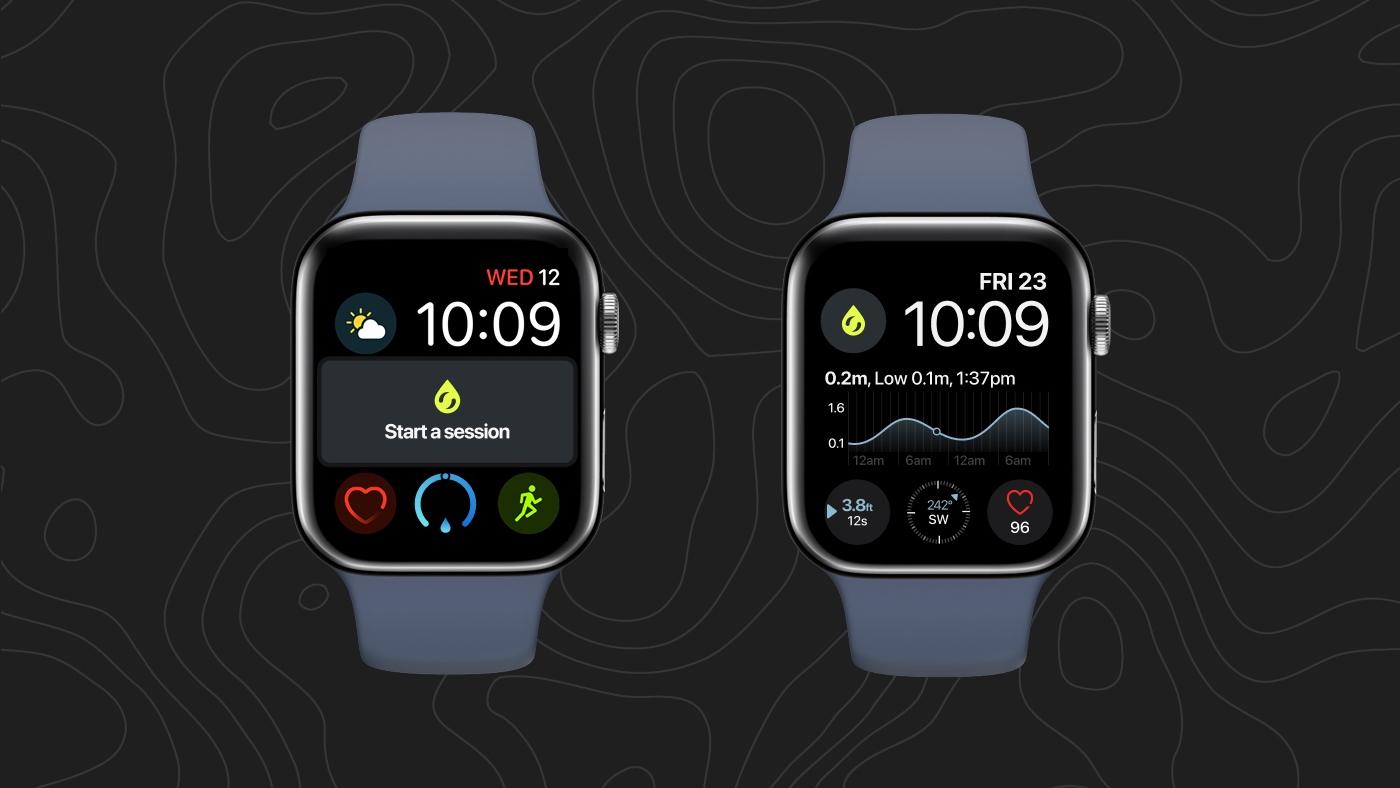
You can now add a complication on your Apple Watch face for single-tap session logging.

Log your sessions anywhere

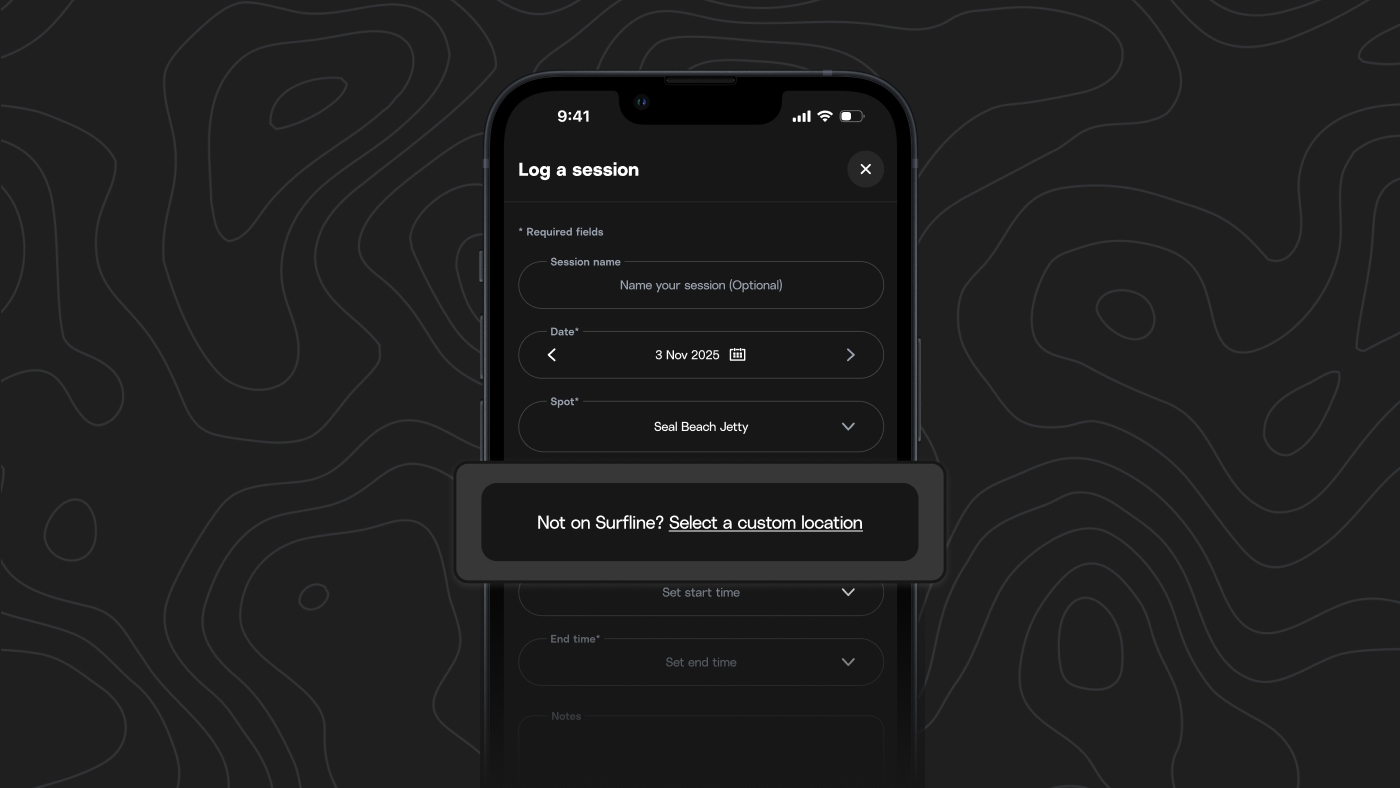
You can now log a session at any location by dropping a pin, even if it’s not a spot listed on Surfline—and don’t worry about exposing your secret spot, this data isn’t shared publicly.

How to log a custom spot session:

Live surf, streaming 24/7

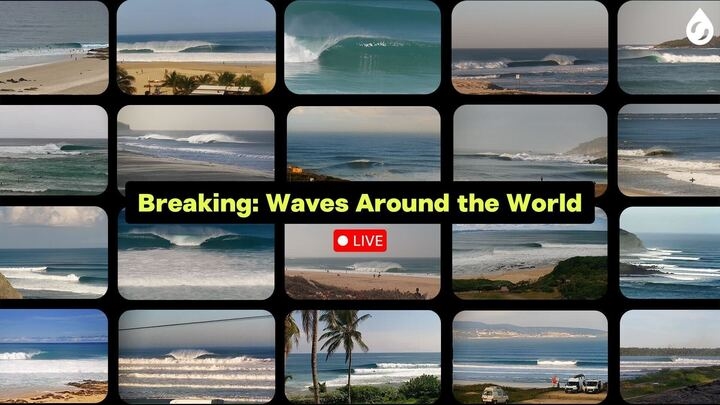
We’re now streaming a continuous rotation of waves breaking right now, around the world.
Tune in on our YouTube channel, whether you’re setting the vibe in your home or café, or just missing the ocean.
We’ll be tuning the rotation and improving quality filters over the next few months. If you have thoughts or feedback, we’d love to hear from you at [email protected].

Get the heads-up with Surf Alerts

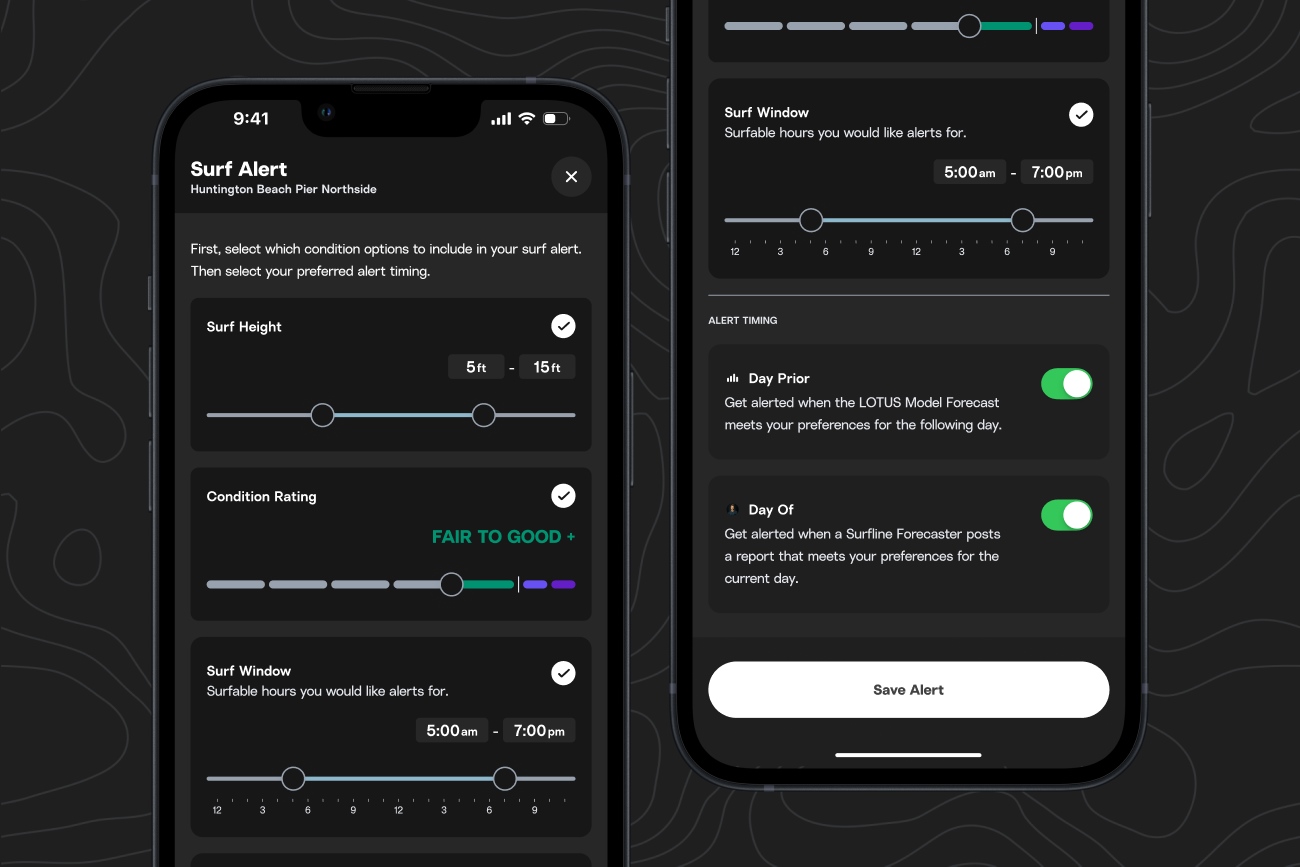
You can now add Surf Alerts right from any spot page, with options to be notified the day before, or when your perfect window hits.
Note: to get started on Android, go to any spot page, tap the bell icon in the top right, select, “Add Surf Alert,” and choose the criteria for your notification.

How to use Surf Alerts:

When you go to add a Surf Alert for a spot, you can now:
Note: To ensure you get real-time notifications on conditions that genuinely match your criteria, we only offer Day Of Surf Alerts at locations where our forecasters are making spot observations.

Wearable integration (Garmin):

On Android, you can sync Sessions recorded from your Garmin watch, which allows you to instantly capture wave-by-wave breakdowns and clips that auto-populate into your session if you surfed in front of a cam.

How to log sessions:

Coming soon

A new home for all your favorite spots.

You will soon be able to access your Favorites from the bottom navigation bar on mobile. Use this view to organize your Favorite spots and compare spot forecasts by region.
We recommend using Home as your surf check starting point to view conditions and outlooks of your top Favorites, plus region-specific updates.
Coming to iOS the week of June 23rd.

A new Perks drop is on the way.

Our Perks program is powered by brands we genuinely use and trust in our own surf lives.
A new set of Perks is dropping on June 24th. Available to US Premium members.
See upcoming Perks

Previous releases